
Tour of the screen
The top bar
Section titled “The top bar”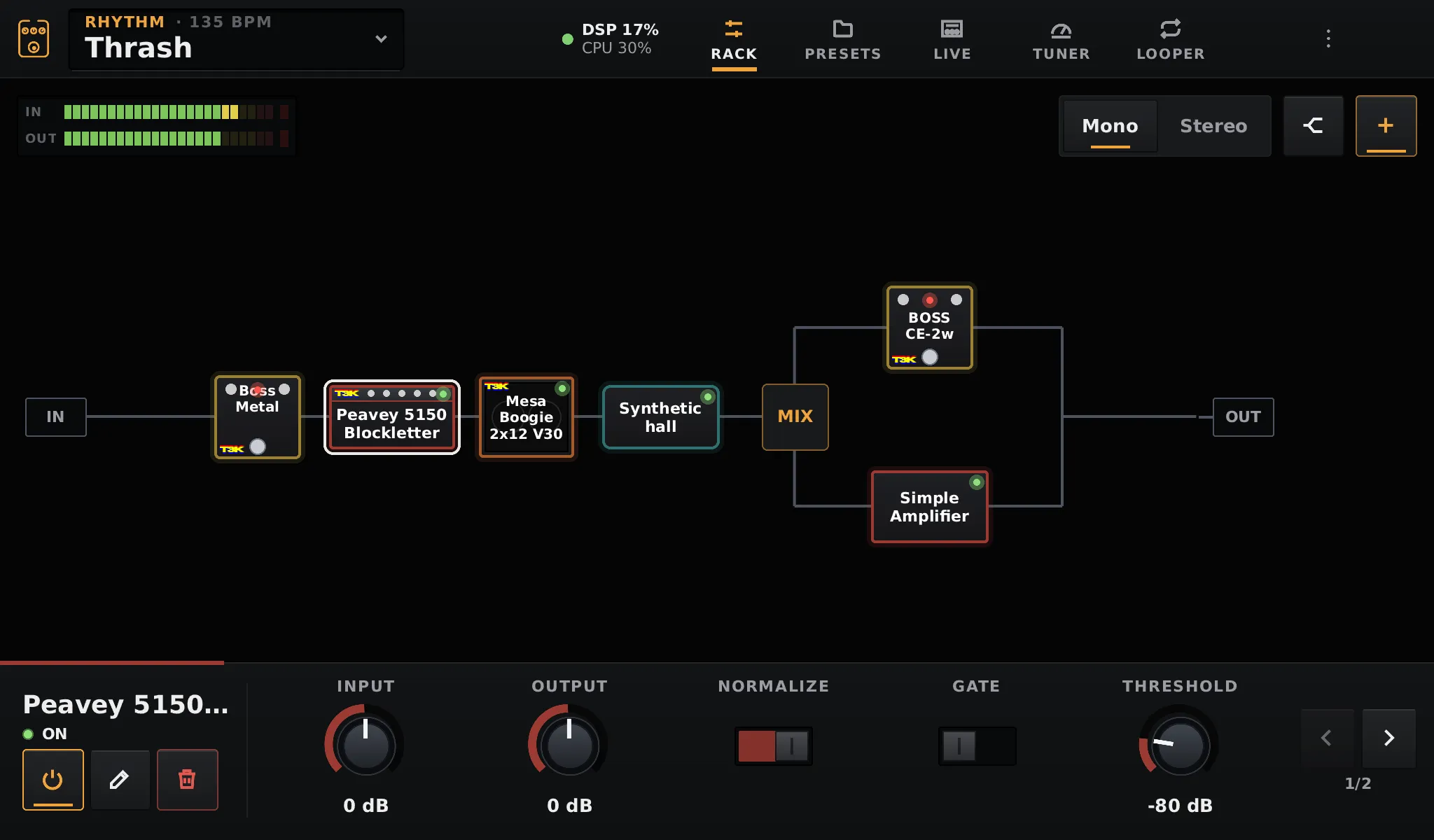
From left to right:
- Preset: the current scene in amber, the tempo, and the preset name. Tap it to pick another preset.
- DSP / CPU: the load of the audio processing and of the processor. The dot turns orange, then red, as the load gets high. Tap it for the resource monitor.
- The pages: Rack, Presets, Live, Tuner, Looper.
- ⋮: the menu with the TONE3000 library, Settings, and Power off.
The pages
Section titled “The pages”| Page | What it is for |
|---|---|
| Rack | The signal chain: add, move, bypass and tweak blocks |
| Presets | Save and load presets, build setlists |
| Live | Eight big switches for stomps, scenes or setlist presets, and the tempo |
| Tuner | A chromatic tuner, down to 38 Hz |
| Looper | Record, overdub, undo |
Gestures
Section titled “Gestures”| Gesture | On a block | Elsewhere |
|---|---|---|
| Tap | Select it: its knobs show at the bottom | Deselect |
| Double tap | Open the full block editor | |
| Hold and release | Bypass it, or turn it back on | |
| Hold and drag | Move it, also into a split branch | |
| Swipe | Scroll the rack |
Knobs turn with a vertical drag. Lists open as a full-screen chooser, and text is typed on an on-screen keyboard.
Keyboard and encoder
Section titled “Keyboard and encoder”A USB keyboard works: keys 1 to 8 act as the footswitches and t taps the tempo. A rotary
encoder wired to the GPIO moves through the controls like the arrow keys and selects with its
push button.