The open source pedalboard you build yourself
OpenRig turns a Raspberry Pi 5, a USB audio interface and a touchscreen into a guitar multi-effects unit. Neural amp captures, impulse responses and LV2 effects, on a system that boots straight to the rack.
Recorded from the x86_64 image at 1024×600. Peavey 5150 capture by @doubleyoud on TONE3000.
- ~5 msbuffer each way: 128 frames × 2 at 48 kHz on a Pi 5
- 0allocations or blocking locks in the audio callback
- 8 scenesper preset, recalled without rebuilding the chain
- A/Bsigned system updates that roll back on failure
Made to be played, not configured
Everything happens on the touchscreen: the signal chain is the main screen, every block is one tap away from its knobs, and nothing needs a computer once the card is written.
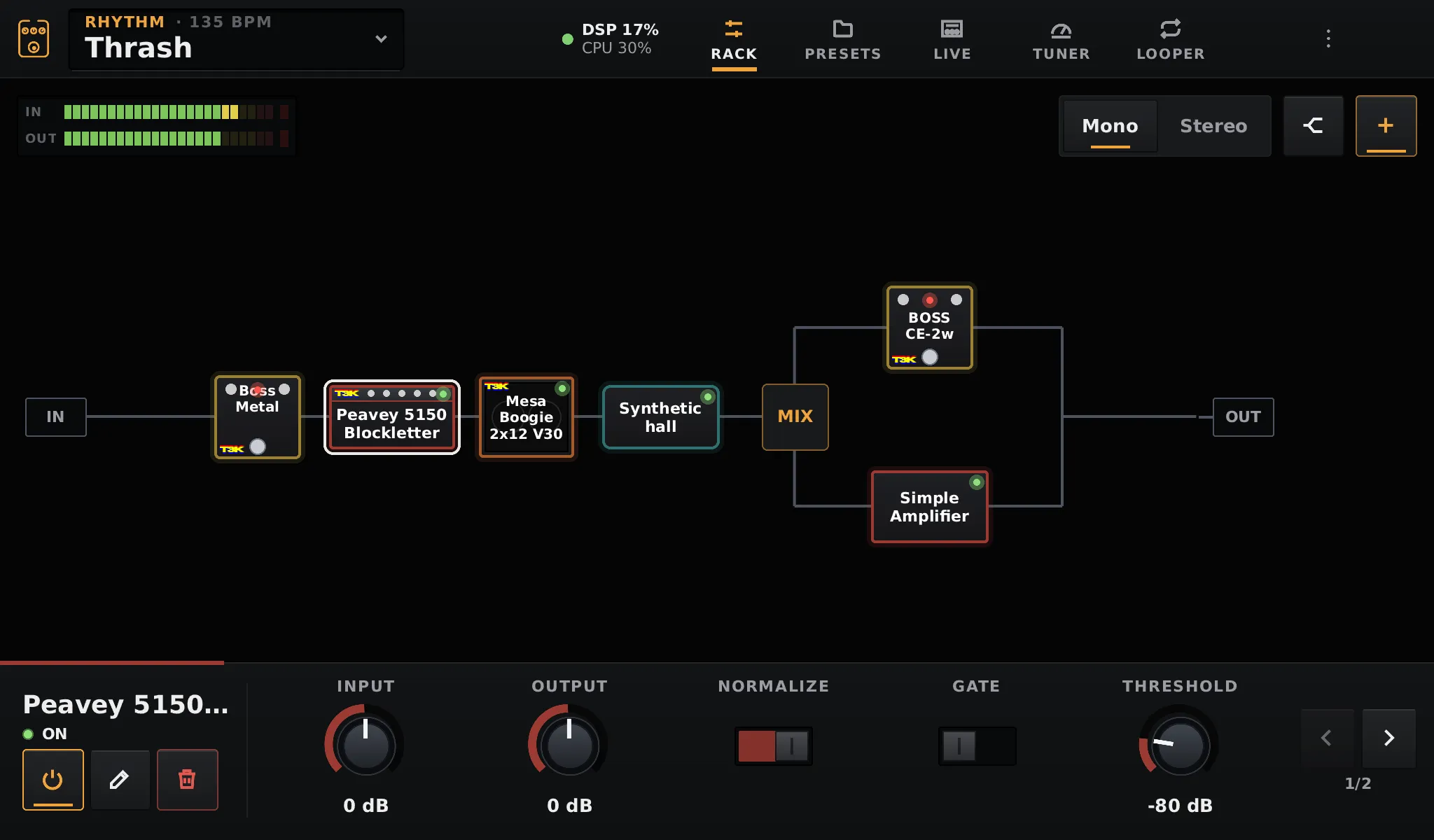
The whole signal chain on one screen
Blocks are drawn after the gear they model: amp heads, combos, cabinets, pedals. Tap a block and its controls appear as knobs under the rack.
- Tap for the knobs, double tap for the full editor, hold to bypass
- Hold and drag to move a block, including into a split
- A/B, Mix and left/right splits, nested as deep as you need
- Mono or stereo; input and output meters with clip LEDs
Neural amps, pedals and cabinets
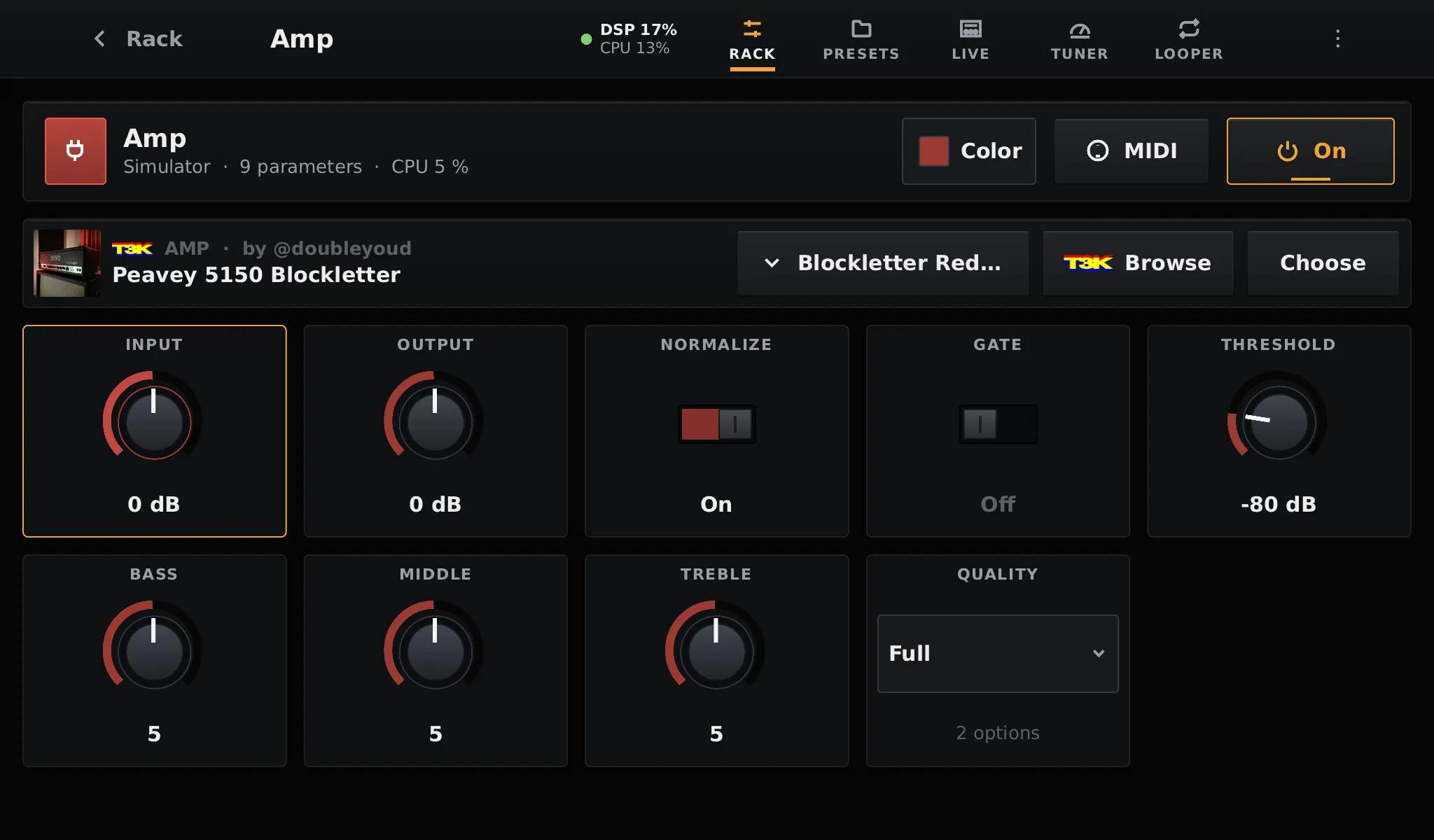
Amp, Amp + Cab and Pedal blocks run Neural Amp Modeler captures. Cabinet and Space blocks load impulse responses. They sit in the chain like any other block, next to LV2 plugins.
- NAM
.namcaptures, plus RTNeural.jsonand.aidax - Noise gate, bass / middle / treble and input / output trims on every amp
- Light quality for A2 captures, about a quarter of the CPU
- Zero-latency impulse responses with level, mix and low / high cut
TONE3000, on the pedalboard
Link your TONE3000 account once, then browse your favorites, your own tones and the trending ones right from a block. A capture downloads and loads in a couple of taps.
- Linked with a QR code, approved on your phone
- Each block only lists the gear it can play
- Creator, license and source kept with every download
- Downloaded one at a time, when you ask for it
TONE3000 in the docs →
Marshall JCM800 2203x by @pamukparty on TONE3000.
A Live page for your feet
Eight switch tiles in Stomp, Scenes or Setlist mode, the tempo with a TAP button, and footswitches on the GPIO or any MIDI controller.
- 8 scenes per preset: bypass, knobs and splits in one switch
- Setlists keep every preset loaded, ready to switch
- Delay and reverb tails ring on across bypass and scene changes
- Tap tempo sent to plugins; hold the last switch for the tuner
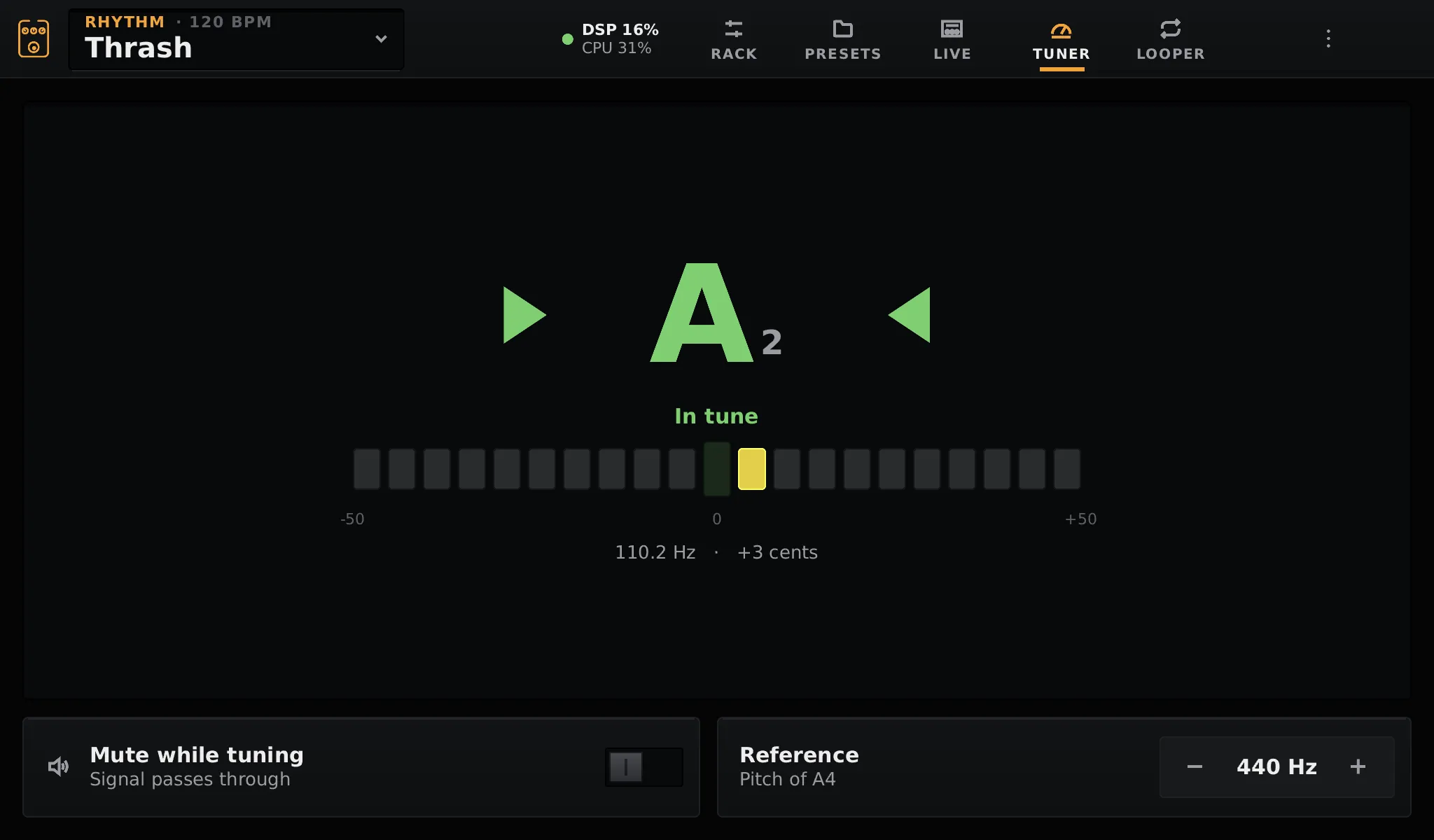
Tuner
Down to 38 Hz for drop tunings, 7 and 8 strings and bass, with optional mute.
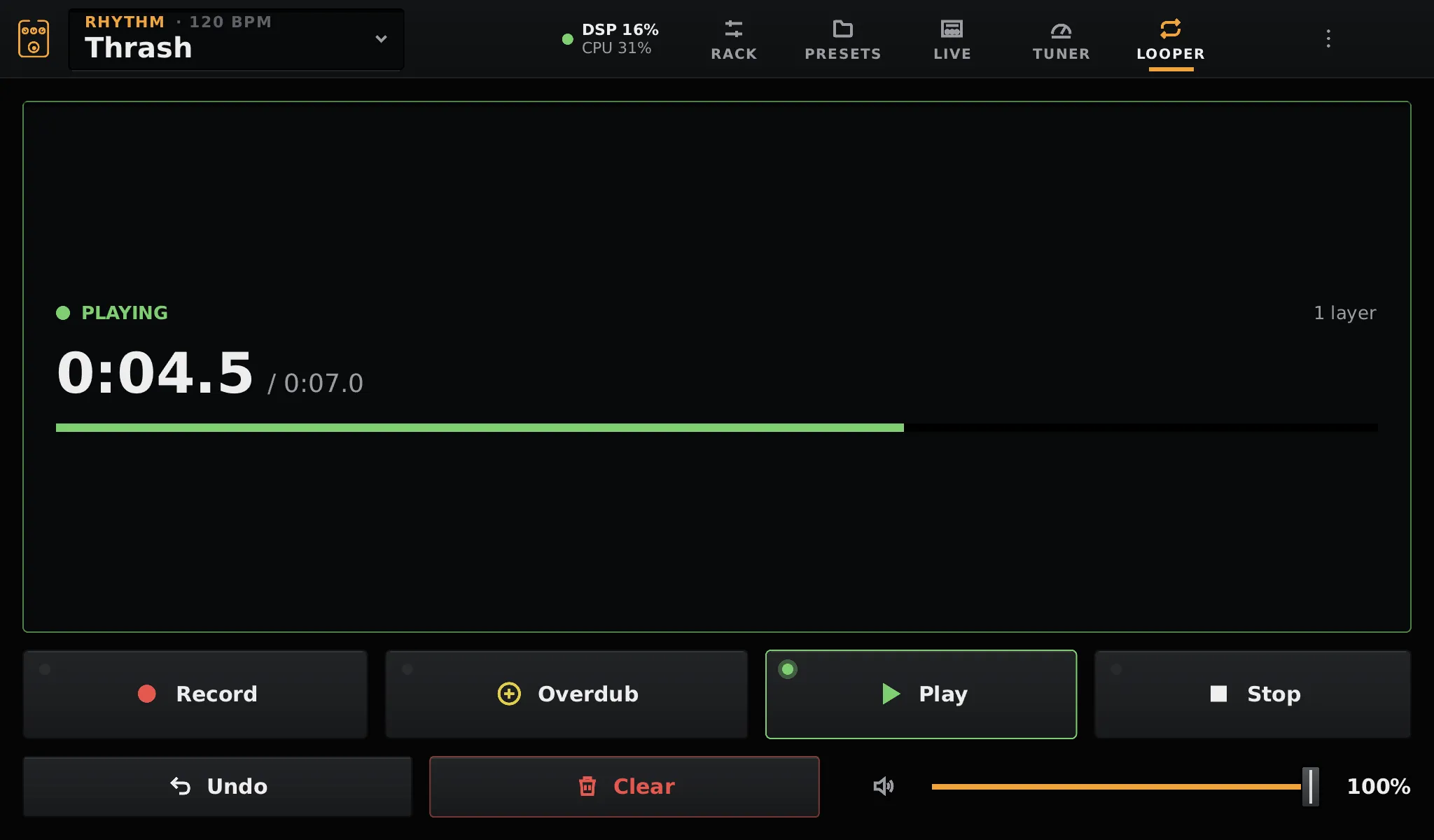
Looper
Record, overdub in layers, undo. Stereo, after the effects, up to 30 seconds.
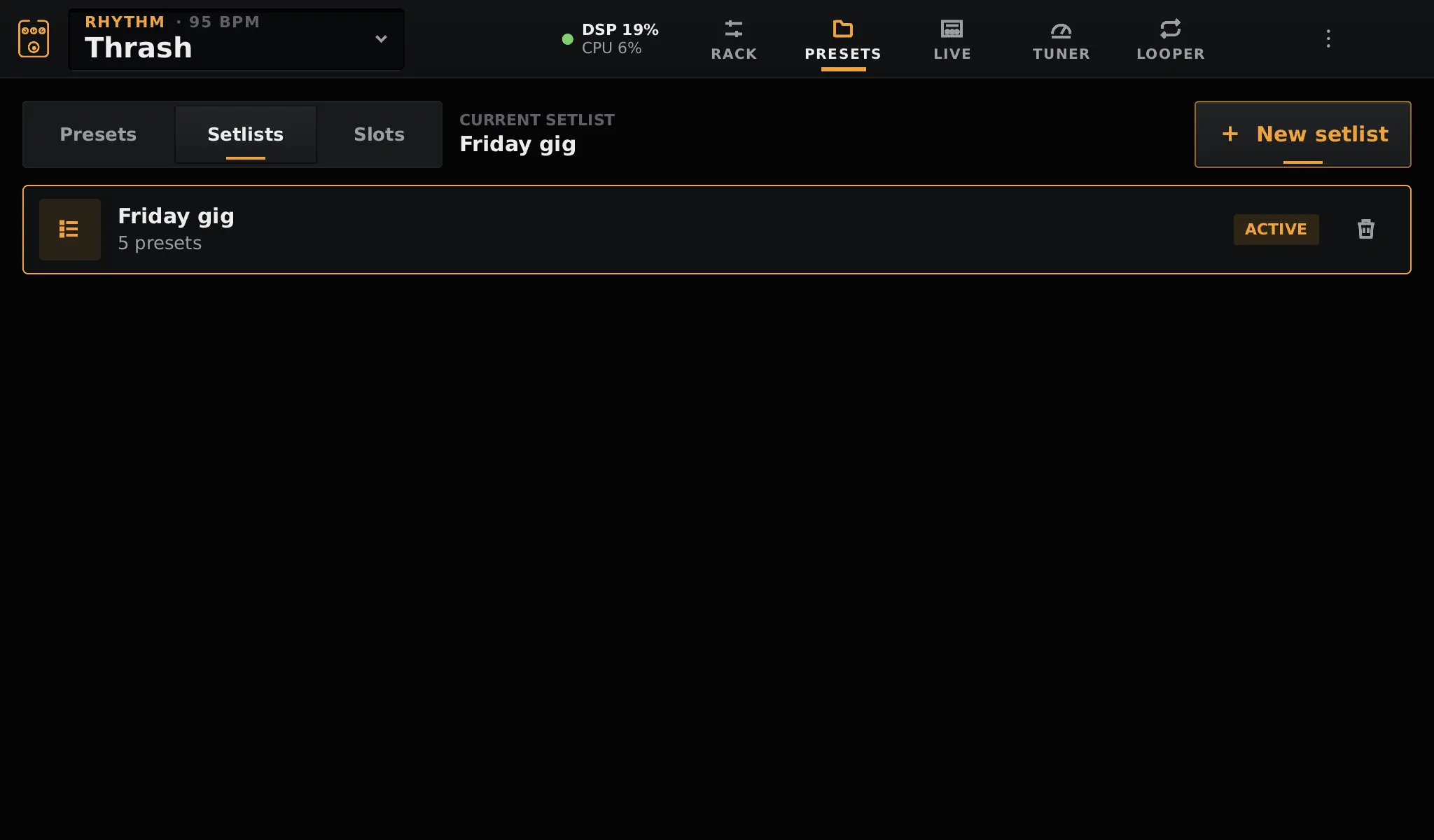
Presets and setlists
Presets keep the whole chain, its scenes and tempo. Setlists map them to switches.
MIDI, Helix-style
Program changes and banks for presets, CCs for scenes, footswitches, looper, tuner and tap. MIDI clock sets the tempo. Learn any knob to an expression pedal, with a heel / toe range.
Any LV2 plugin
Collections such as ZAM, x42, Calf, LSP, CAPS and the Guitarix GxPlugins: controls, ranges and units come from the plugin, and plugins that take tempo or MIDI get it.
Built like an appliance
OpenRig is not an app on a desktop. It ships as its own operating system, and the audio path is written so that nothing on the screen can make it drop out.
Real-time safe audio
New chains are built on another thread and crossfaded in over 20 ms. Knobs, bypass and scenes change the running chain without a rebuild. The JACK callback never allocates.
Read-only system
A Buildroot image with a PREEMPT_RT kernel boots straight into the UI, full screen, without X11 or Wayland. Your data lives on its own partition.
Updates that can't brick it
Signed RAUC bundles install next to the running system. If the new one does not start, the pedalboard boots the previous one again. Presets and models are kept.
Session always saved
The chain is saved a few seconds after each change and restored at startup. Pulling the power cable at the end of the gig is fine.
Load you can see
The top bar shows the DSP load and temperature. Its details give peaks, dropouts, latency and Pi throttling, and the editor shows what each block costs.
Released with care
Every pull request runs formatting, Clippy and the tests. Versions follow semver from conventional commits; each release ships images, app bundles and changelog.
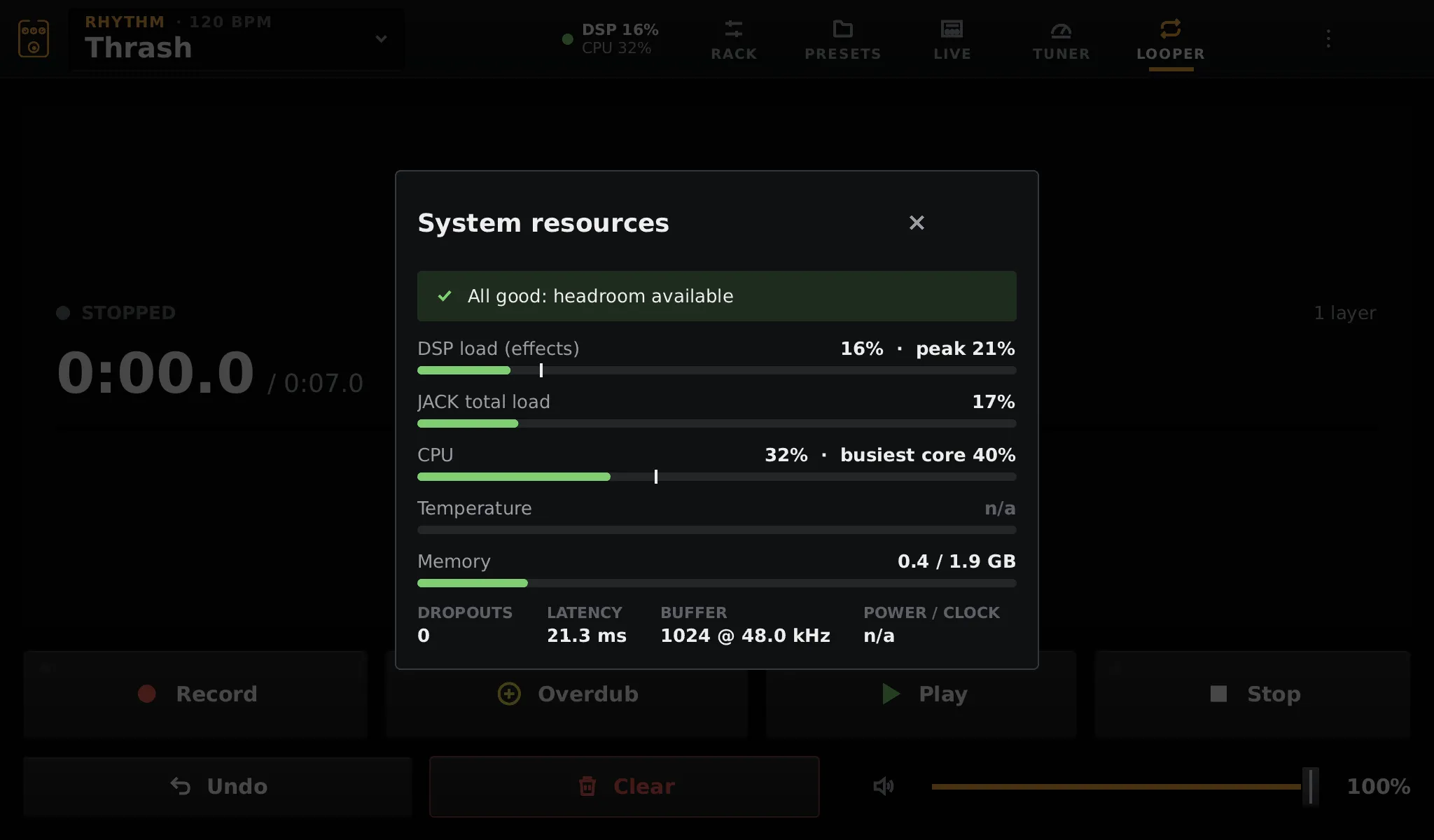
Resource monitor
Shown here in QEMU. On a Pi 5 it adds the SoC temperature and under-voltage flags.
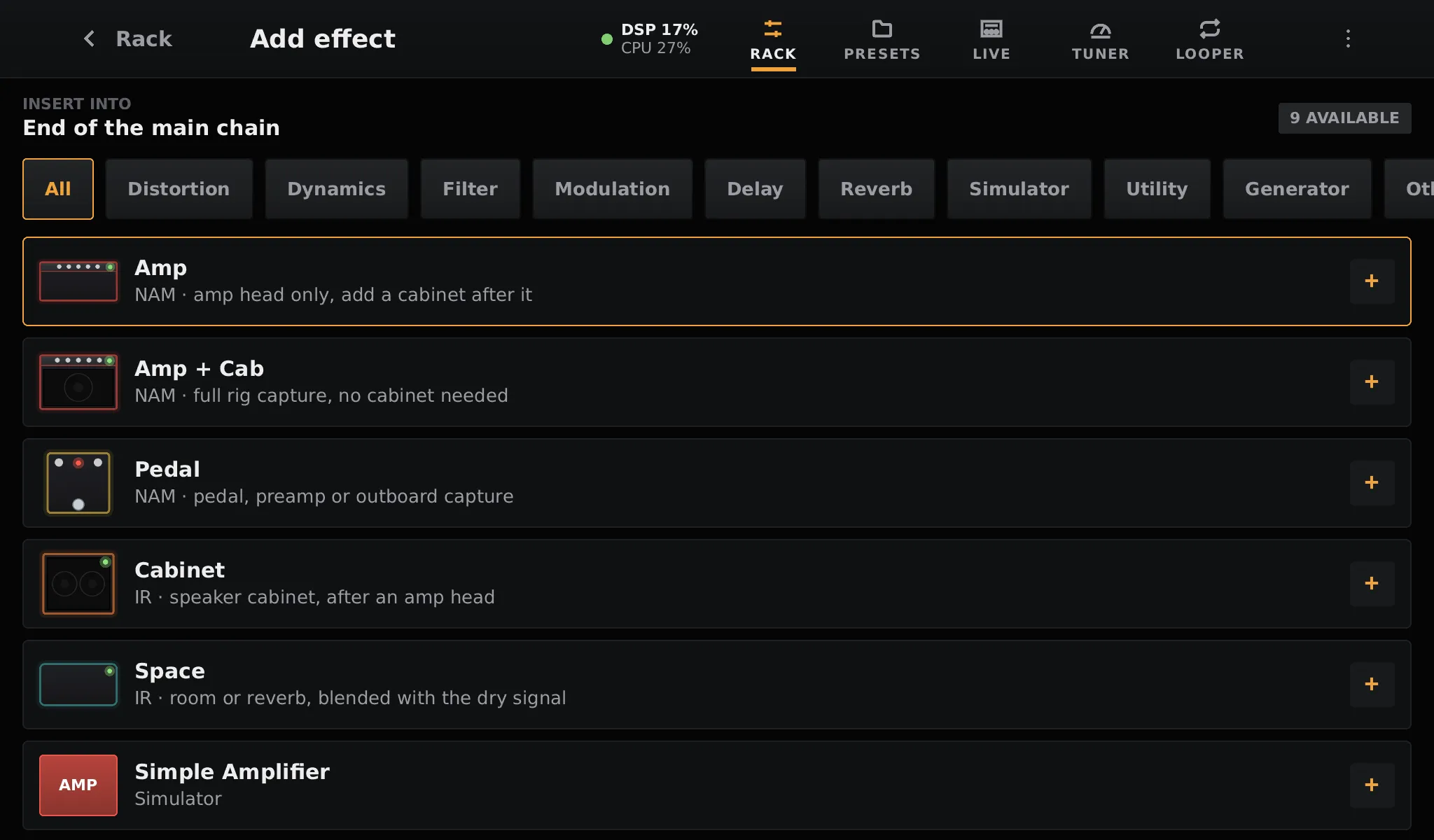
Built-in blocks and LV2
Neural and impulse response blocks work out of the box; LV2 plugins sit next to them.
Parts you can buy anywhere
No custom board to order. Write the image to a card, plug in an audio interface and play. Footswitches are optional and wire straight to the GPIO.
| Computer | Raspberry Pi 5 (or Pi 500), or an x86_64 mini PC with UEFI and Intel graphics |
|---|---|
| Audio | Any class-compliant USB audio interface |
| Screen | A touchscreen; 1024×600 and up. A mouse works too |
| Storage | A micro SD card of 8 GB or more: about 3 GB of system, the rest for your models |
| Power | The official 27 W supply for a Pi 5 with USB devices |
| Optional | Up to 8 footswitches and a rotary encoder on GPIO, MIDI controllers over USB |
Where the project stands
OpenRig is young. It runs on a Raspberry Pi 5 (8 GB) with a Focusrite Scarlett 2i2 at 128 × 2, A/B updates and rollback included; the x86_64 image is tested in QEMU so far. Expect rough edges, and tell us about them: issues and pull requests are welcome.
Report an issue →Write a card, plug in, play
The image boots straight into the rack. The first start takes a minute longer while it sets up its data partition.