
TONE3000
TONE3000 hosts amp, pedal, cabinet and room captures shared by their creators. OpenRig uses the TONE3000 API to list them and download them on the pedalboard, without a computer.
Linking your account
Section titled “Linking your account”This is done once. TONE3000 asks each app that uses its API to have an application key: you create your own, free, on tone3000.com.
-
On tone3000.com, open your developer settings and create an application. Copy its publishable key, the one that starts with
t3k_pub_. -
On the pedalboard, open ⋮ → Settings → TONE3000 Connect, tap Edit and type the publishable key. A USB keyboard works too.
-
Tap Connect. The pedalboard shows a QR code and a short code.
-
Scan the QR code with your phone, or open
tone3000.com/activateand enter the code, then approve. The card then says Signed in as your TONE3000 username.
The link survives restarts and going offline. Disconnect removes it from the pedalboard.
The library
Section titled “The library”Open it from a block’s editor with Browse, or from ⋮ → TONE3000.
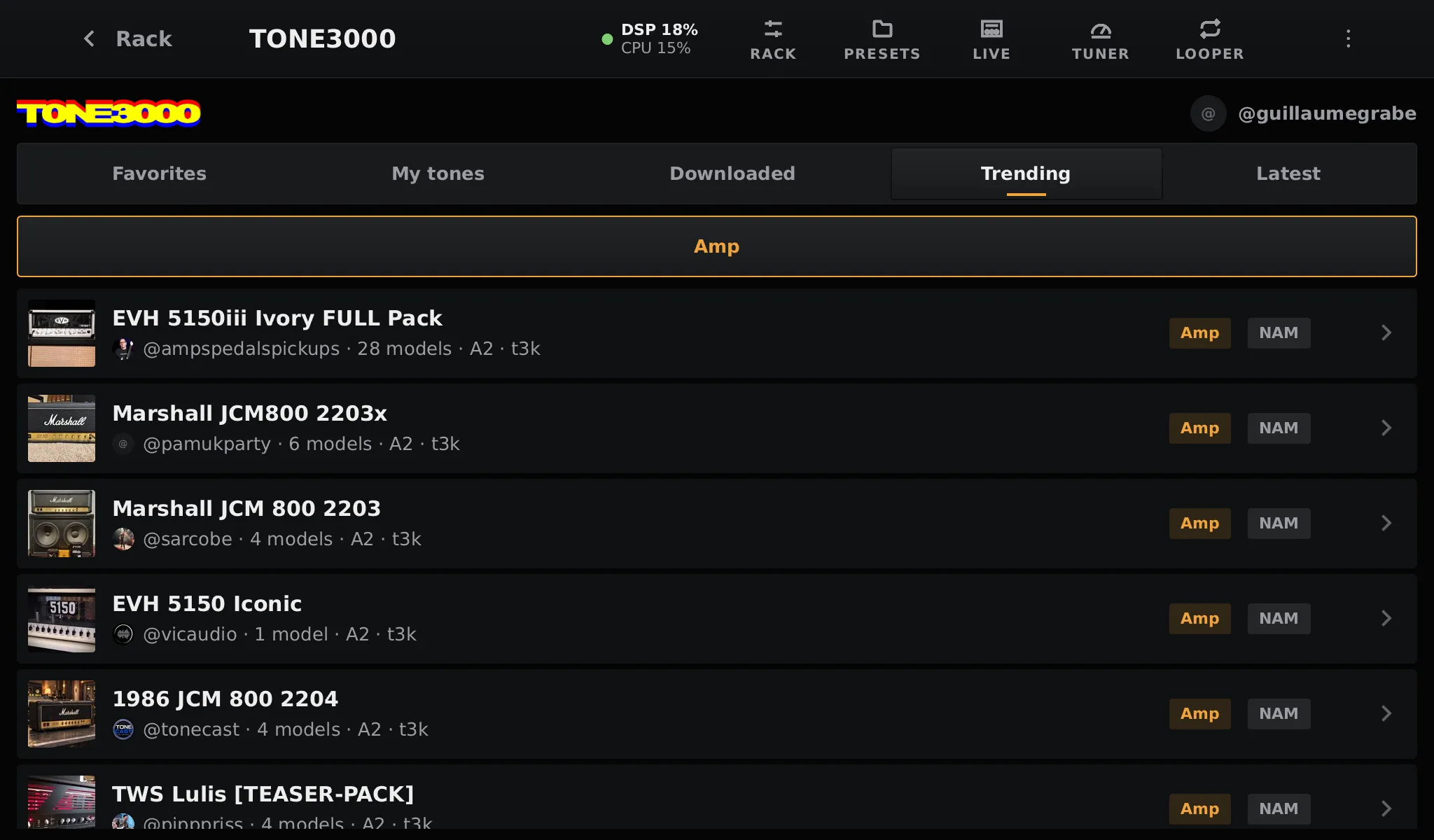
| Tab | What it lists |
|---|---|
| Favorites | The tones you favorited on tone3000.com |
| My tones | The tones you published |
| Downloaded | The tones already on this pedalboard |
| Trending | What TONE3000 users play the most right now |
| Latest | The newest tones |
Opened from a block, the library only lists the gear that block can play: amps for an Amp block, pedals and outboard gear for a Pedal block, cabinets for a Cabinet… Opened from the menu, every gear can be chosen.
Downloading
Section titled “Downloading”Tap a tone to see its captures, its creator, its license and its page on tone3000.com.
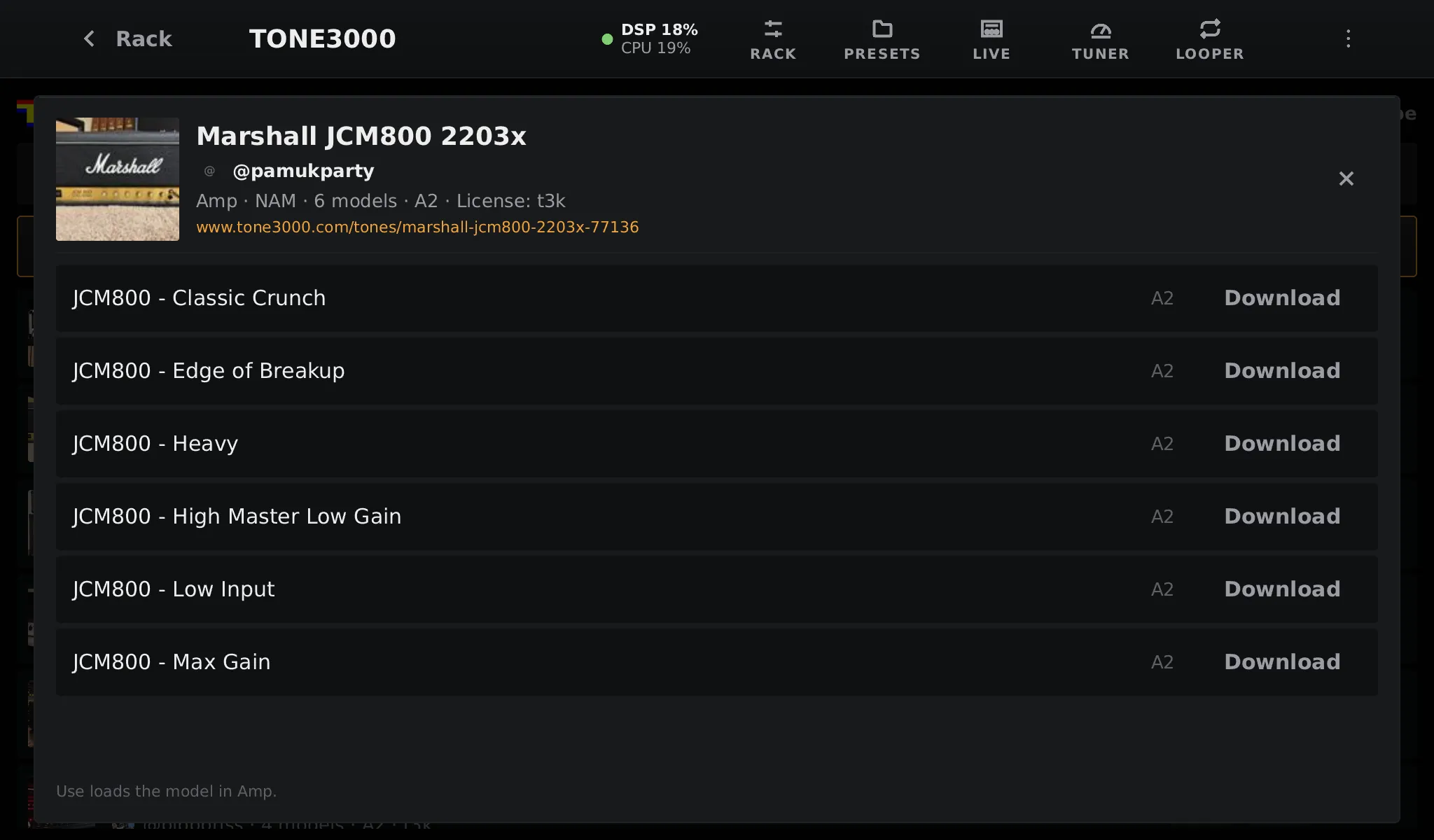
Tap Download on a capture. Once it is on the pedalboard, the button becomes:
- Use, opened from a block: loads it into that block;
- Add, opened from the menu: puts it in a new block of the right type at the end of the chain.
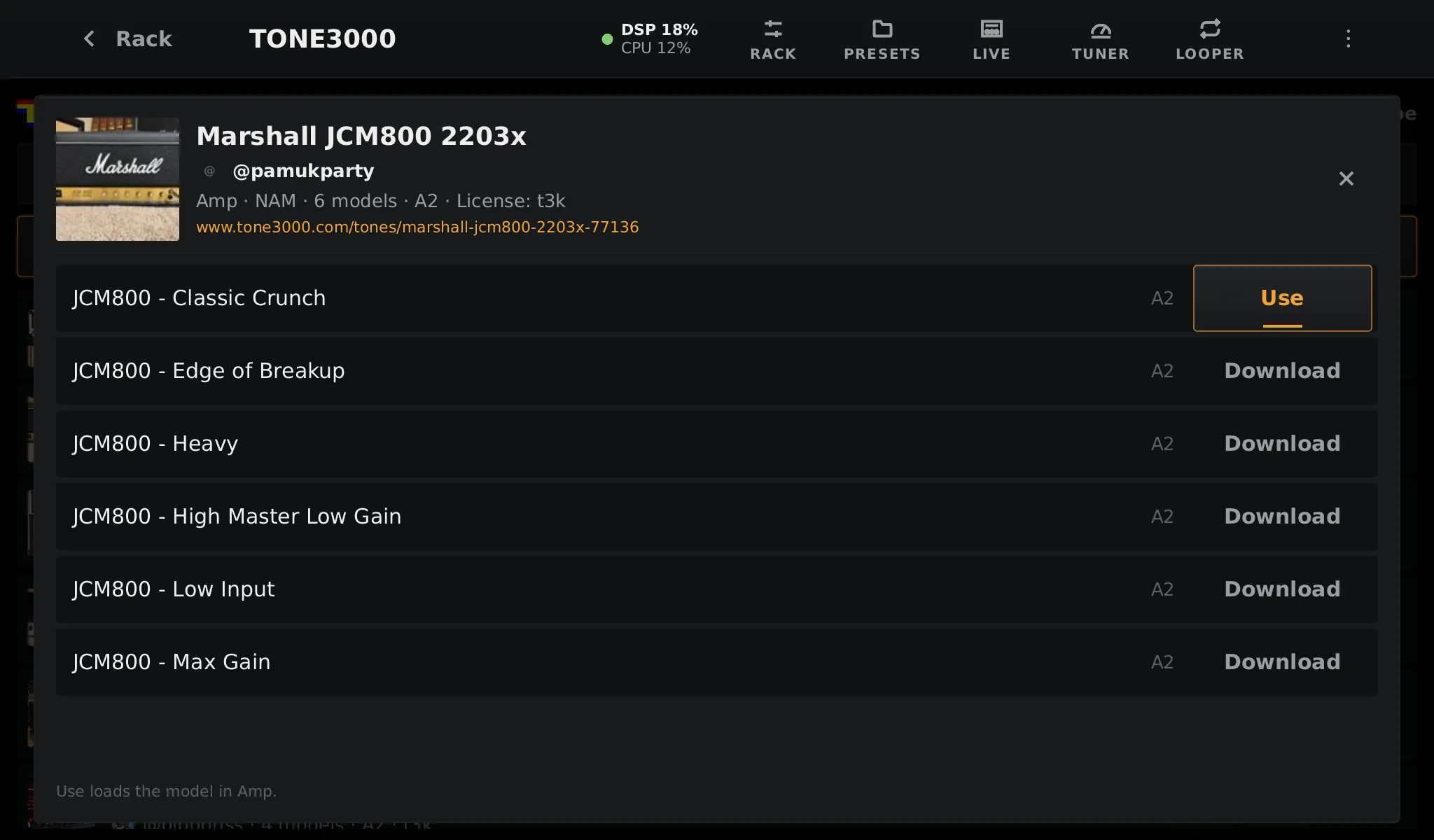
Downloads go to models/Tone3000/<gear>/<tone>/ with a tone.json that keeps the title,
creator, license and link. The block’s editor then shows the tone’s picture and creator, and the
block carries the TONE3000 mark in the rack.
Good to know
Section titled “Good to know”- Captures in the NAM and IR formats can be played. AIDA-X, Proteus and AA snapshot tones are listed but greyed out.
- Favoriting and searching are done on tone3000.com for now: what you favorite there shows in Favorites.
- Your sign-in is kept only on the pedalboard, and only ever sent to tone3000.com.
- Respect each capture’s license: it is shown on the tone, and kept with the files.
TONE3000 is a trademark of TONE3000. OpenRig is an independent project that uses the TONE3000 API.